Good product listing photos do three jobs at once: they show the item clearly, they meet the marketplace's technical rules, and they look like they belong to one brand across every SKU. The hard part for most brands is not knowing what a good photo looks like. It is producing a consistent set for dozens or hundreds of products without a studio calendar, models, and reshoots eating the budget. That is the problem we built BlurCandy around: our studio produces product photography with generative AI instead of physical sets, with typical turnaround of 24 hours for product photography, and you approve the look frames before production begins.
This guide covers what a listing needs, the rules the big marketplaces publish, how to plan an image strategy for a whole catalog, and where AI production fits.
TL;DR
- Photos are the main purchase driver online: in Salsify's 2026 research, 61% of shoppers said product images and video are the biggest factor in completing a purchase.
- A strong listing mixes shot types: a clean main image, additional angles, a scale shot, a lifestyle shot, detail and packaging.
- Marketplace rules differ (background, frame fill, pixel size, authenticity), so read each platform's official page before you upload.
- A consistent catalog comes from a fixed shot list and fixed look, decided once and applied to every SKU.
- We produce listing-ready visuals with AI, with look approval before production and every frame checked by hand.
Table of Contents
- Why listing photos carry so much weight
- The shot types a complete listing needs
- Marketplace rules: what the official pages say
- Building a product listing image strategy
- What a realistic production workflow looks like
- Image ideas that lift a marketplace listing
- Budgeting for listing photography
- Getting your listing set produced with BlurCandy
- Perspective: the listing is a system, not a photo
- FAQ
- Sources
Why listing photos carry so much weight
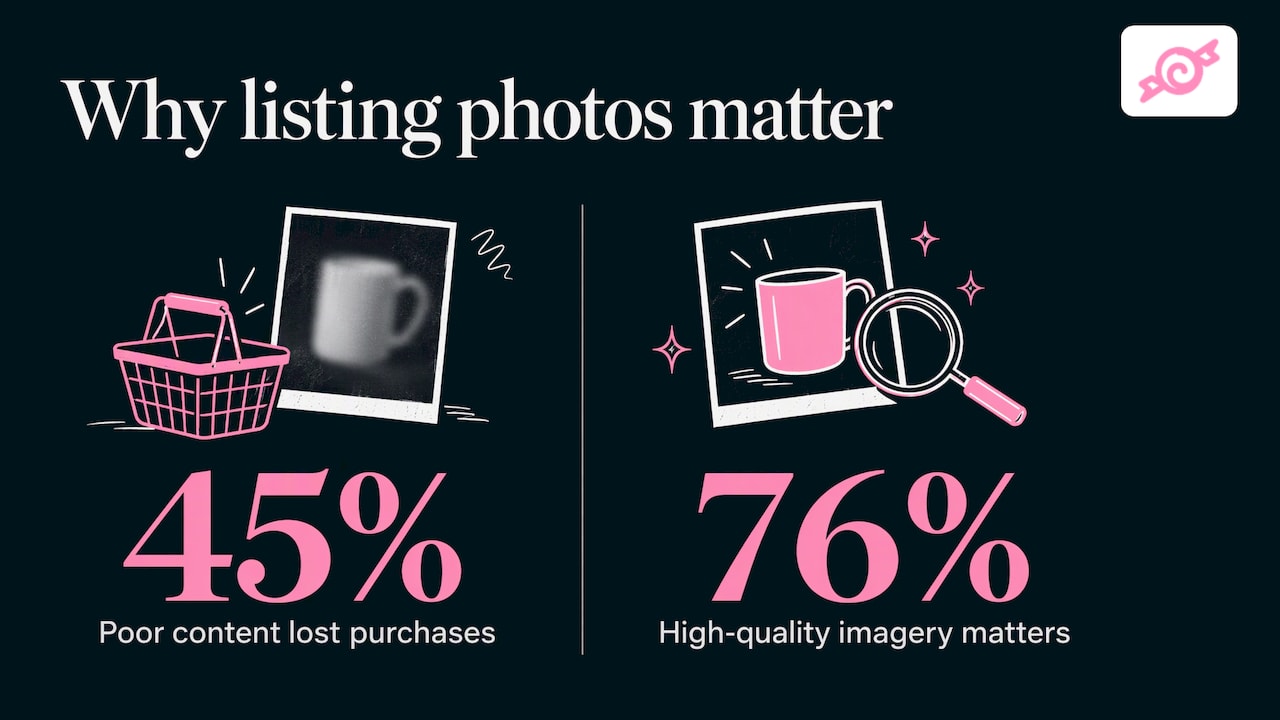
A shopper cannot pick up your product. The images are the stand-in for touch, scale and finish, so they carry the decision. Beyond the Salsify figure above, Adobe reports that in a recent study 45% of shoppers abandoned a purchase because of poor product content, such as low-quality or too few images, and that 76% said high-quality imagery is very or extremely important when deciding whether to look further.
Google says the same thing from the search side. Its Merchant Center guidance states that multiple high-quality images correlate strongly with engagement and clicks. So the photos work twice: they earn the click in search results and they close the sale on the product page.
For a brand owner, this changes how to think about the budget. Photography is not a decoration cost. It is the part of the listing that does the selling, and weak images quietly drain every dollar you spend on traffic.
The shot types a complete listing needs
Marketplaces publish their own recommended shot lists, and they overlap heavily. Amazon's seller guidance lists individual, group, lifestyle, scale, detailed, packaging and 360-degree shots. Etsy's seller handbook recommends studio, lifestyle, scale, detail, group, packaging and process shots.
Here is what each one does for the shopper:
| Shot type | What it answers | Typical position |
|---|---|---|
| Individual (main image) | What exactly is this? | First image |
| Alternate angles | What do the back, sides and underside look like? | Images 2 to 4 |
| Detail | What is the material, stitching, texture, port, label? | Middle |
| Scale | How big is it, really? | Middle |
| Lifestyle | What does it look like in use or in a room? | Middle to late |
| Group or collection | What is included, what sizes or variants exist? | Late |
| Packaging | What arrives at my door, is it giftable? | Last |
| 360 or spin | Can I see every side? | Where the platform supports it |
Google's Merchant Center asks for a main image of 1500 by 1500 pixels or larger on a solid white or light neutral background, with the product filling roughly 75% to 90% of the frame. It also recommends at least five additional images: alternate angles, at least one solid-background image, at least one lifestyle shot, and detail shots.
Do not skip the scale shot
Scale is the shot brands forget most. A tiny serum bottle and a large one look identical on a white background. Placing the item next to a hand, a common object or in a room gives the shopper the one fact the packshot cannot. If you sell home decor or furniture, scale and room context are often the difference between a confident buy and a return. Our furniture and home decor work is built around showing pieces in realistic rooms for exactly this reason.
Let the category shape the set
The shot list is not identical for every product:
- Apparel needs fit, drape and fabric detail, which is why on-model images matter. See our guide to clothing product photography.
- Beauty and skincare need texture, swatches, ingredient callouts and a premium surface. Our beauty photography page shows how that looks.
- Food and beverage need appetite appeal and pour or cross-section moments. See food and beverage.
- Electronics need ports, interfaces and function, often with motion. See tech product photography and 3D animation.
Marketplace rules: what the official pages say
Every platform sets its own technical and authenticity requirements, and they change. Treat the platform's own help page as the authority, not a roundup written months ago.
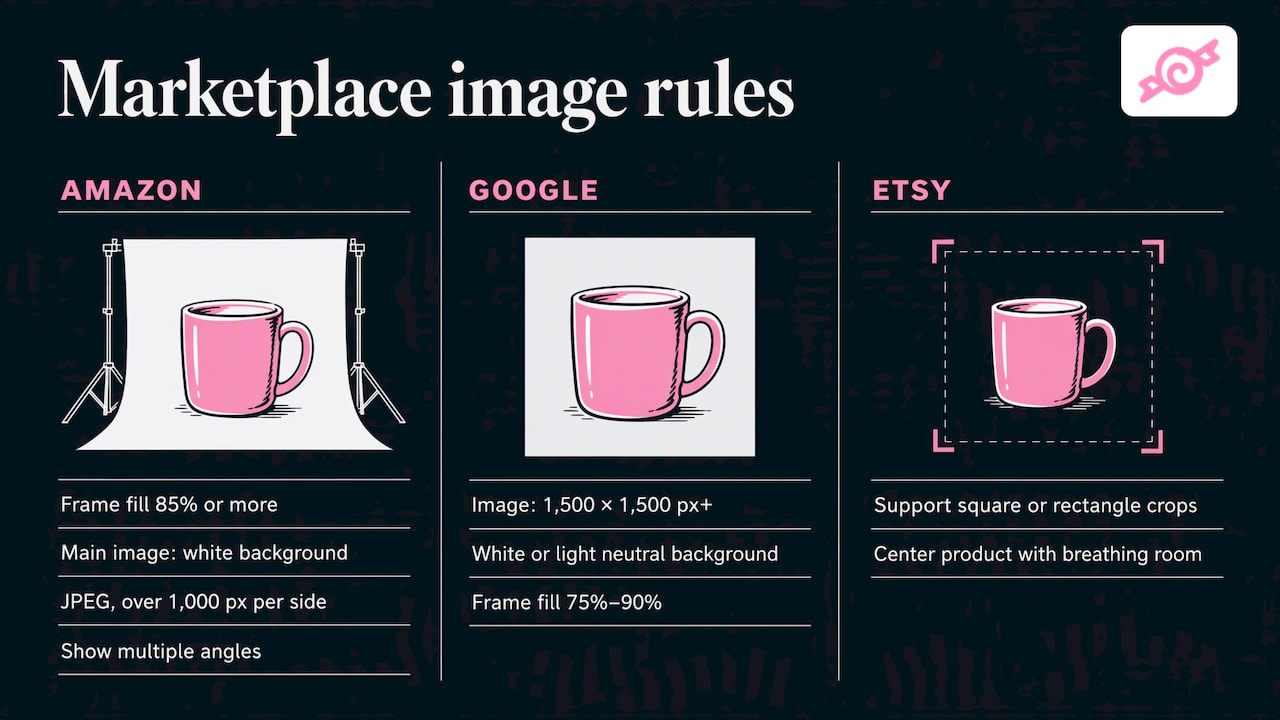
Amazon. Its seller guidance recommends the product fill 85% or more of the frame, a white background for main images, multiple angles, and images larger than 1,000 pixels on each side in JPEG format so shoppers can zoom.
Google Merchant Center. The main image should be 1500 by 1500 pixels or larger, on a solid white or light neutral background, with the product filling 75% to 90% of the frame, as laid out in its image best practices.
Etsy. The handbook advises uploading photos that work across multiple crops and ratios, such as square or rectangle, because listing photos appear on several different pages. In practice that means keeping the product centered with breathing room, so a tight crop on a search grid does not cut off an edge.
Two habits save headaches. First, shoot once at a high resolution and generous canvas, then export to each platform's size. Second, check the platform's current policy before every large upload, since marketplaces update image and authenticity requirements, including how they treat digitally created imagery. We keep our deliverables organized by platform so a set can go to several channels without rework. For a deeper marketplace breakdown, read our Amazon product photography rules and shot list.
Building a product listing image strategy
A strategy is what turns a pile of good photos into a catalog that looks like one brand. It comes down to decisions you make once and then apply everywhere.
1. Fix the shot list per product category
Write down the exact images every product in a category gets: for example, main, two angles, detail, scale, lifestyle, packaging. A fixed list prevents the common problem where a bestseller has eight images and a newer SKU has two. It also makes briefing and quoting simple, because everyone knows what a finished set contains.
2. Fix the look
Decide background tone, light direction, shadow softness, color temperature, prop style and crop. Consistency is what makes a storefront feel trustworthy. It is also where traditional shoots wobble: batches photographed months apart, in different light or by different people, rarely match. A look defined up front and approved as a frame before production removes that variable. That is how we work: you approve look frames first, and every product is then built to that approved look.
3. Plan for variants
Colors, sizes, scents and bundles multiply your image count fast. Decide early how each variant is shown: a full set for hero variants, a main image plus swatch for the rest. In a physical shoot, every new variant can mean another setup and another reshoot. Producing visuals with generative AI means a new colorway is a change to an approved look, not a new studio day.
4. Plan for several channels
The same product often lives on your own store, one or two marketplaces, product ads and social. Build the set so the main image meets the strictest white-background rule, then add lifestyle and detail frames you can reuse in ads and social content. Shopify's guide to product pages stresses that showing multiple angles, allowing zoom and calling out unique features builds expectations and credibility, which is the job both listing and ad images share.
5. Keep a living spec sheet
One page per platform: pixel minimums, background rule, frame fill, file type, ratio, and the link to the official page with the date you last checked it. Revisit it when you launch a new collection.
What a realistic production workflow looks like
Whatever route you take, listing photography follows the same stages. What differs is how much physical logistics each stage involves.
- Brief. Product list, categories, channels, shot list, look references.
- Product intake. Reference imagery, dimensions, materials, packaging details. Accuracy here decides whether the final image matches the item the customer receives.
- Look approval. One or two frames showing the proposed background, light and styling.
- Production. Capturing or generating every frame.
- Review and retouch. Checking color accuracy, edges, labels and text on packaging.
- Export. Sizing and naming per platform.
In a conventional studio, stage 4 requires shipping samples, booking space, hiring models for on-model work, and rebooking if something is wrong. In our process, the same stages run without physical sets or models. Our studio customizes generative AI models for each industry and checks every frame by hand against your product and brief, so the reviewing stage is built into delivery rather than left to you.
Where each step goes wrong, and how we handle it
- Brief too vague. Shots come back inconsistent. A written shot list per category fixes this, and it is the first thing we ask for.
- Look drifts between batches. Approving look frames before production keeps every later product tied to one reference.
- Product inaccuracy. A wrong label, shade or proportion creates returns and reviews. Hand-checking each frame against your brief is aimed squarely at this.
- Slow turnaround at launch. Product photography with us typically comes back within 24 hours, which helps when a listing is waiting on images to go live.
Image ideas that lift a marketplace listing
Once the basics are in place, a few creative choices separate a listing from the rest of the grid.
- Benefit callouts on secondary images. A clean main image, then an image where short text points out two or three features. Shopify's guidance on calling out unique features supports this.
- In-use moments. A bottle being pumped, a mug held in two hands, a chair in a lit living room. Shoppers imagine owning it.
- Ingredient or material macros. Close detail makes quality visible: grain, weave, texture, droplets.
- Size and comparison charts as images. Useful for apparel, footwear and accessories where size drives returns.
- Bundle and set shots. Show exactly what is in the box so expectations match delivery.
- Seasonal variants of the lifestyle frame. Keep the main image fixed and refresh the lifestyle frames for holidays or launches. With AI production, swapping a setting does not require a new shoot.
- Short product video or motion. Where a platform allows it, a few seconds of rotation or use adds what stills cannot. Our guide to product video production covers formats and steps.
Fashion, footwear and accessories brands in particular can see how on-model and product visuals look in our work on fashion, footwear and bags and accessories.
Budgeting for listing photography
Cost per image is a misleading number. A single packshot looks cheap, but a full listing set multiplies it by the number of angles, variants and lifestyle frames, and then by every SKU. Add reshoots when a label changes or a new colorway arrives, and the real cost is the cost per finished catalog, not per file.
When you compare approaches, compare on these dimensions:
- Cost per complete set, not per image.
- Cost of a variant or a change. What does it cost to add a color, fix a label or update a season?
- Time to live. How long from sample or reference to approved, exported images?
- Consistency across batches. Will product 200 match product 1?
- Logistics. Shipping samples, booking models and venues, travel.
AI-driven production is built to do well on the last four: variants and changes are edits to an approved look, delivery is fast, the look is consistent, and there is no physical logistics. Our projects are quoted on scope and deliverables, so the number you get reflects your actual shot list. For a deeper look at the cost drivers, read our guide to product photography costs, and for brand-level work beyond listings, see commercial product photography.
Getting your listing set produced with BlurCandy
We are an AI creative studio producing product photography, model photoshoots, CGI and 3D product films, AI UGC ads, ad films and monthly social media content for brands. More than 200 brands have worked with us, and our clients rate us 4.8 out of 5. For listings, the practical benefits are these: no physical sets, models or reshoots, look frames you approve before production, visuals checked frame by frame by hand, and product photography typically delivered within 24 hours.

If you have a catalog to put live, send us your product list, channels and references, and we will scope the set and quote it. You can see the full range on our services page, browse recent work, or start from the BlurCandy homepage.
Perspective: the listing is a system, not a photo
The brands that win marketplace grids rarely have one spectacular image. They have a system: a defined shot list, a defined look, platform specs they have checked at the source, and a production method that lets them add a variant or refresh a season without starting over. Shoppers cannot touch the product, so they judge the brand by how consistent, clear and accurate its images are. Build the system once, and every new SKU inherits the quality.
FAQ
How many product listing photos should I use?
Use as many as the platform allows and your shot list can fill with useful images. Google's Merchant Center guidance recommends a main image plus at least five additional images covering angles, a solid-background shot, a lifestyle shot and details. Amazon's guidance similarly recommends multiple angles. Every image should answer a question the shopper would otherwise have.
What background should the main image have?
Amazon recommends a white background for main images, and Google Merchant Center asks for a solid white or light neutral one. Keep the product centered, filling most of the frame (85% or more on Amazon, 75% to 90% for Google). Use lifestyle backgrounds for the secondary images.
What size should marketplace product photos be?
Google recommends a main image of 1500 by 1500 pixels or larger, and Amazon prefers images larger than 1,000 pixels on each side in JPEG format so shoppers can zoom. Specs vary by platform and change over time, so confirm them on each marketplace's official help page before a large upload.
How do I keep photos consistent across hundreds of SKUs?
Fix the shot list and the look once, then apply them to every product. Approve look frames before production, keep a spec sheet per platform, and use one production method for the whole catalog. Our studio works this way: you approve the look first, and each frame is checked by hand against your brief.
Can I use the same photos on every marketplace?
Often yes, if you shoot with a generous canvas and export per platform. Make the main image meet the strictest background and frame-fill rule, and keep the product centered so crops on different pages do not cut it off. Etsy specifically notes that listing photos are used across several pages and crops.
Sources
- Amazon: How to take product photos
- Google Merchant Center Help: Image best practices
- Etsy Seller Handbook: 7 essential types of product photos
- Shopify: Ecommerce product page optimization
- Adobe Express: Product photography tips