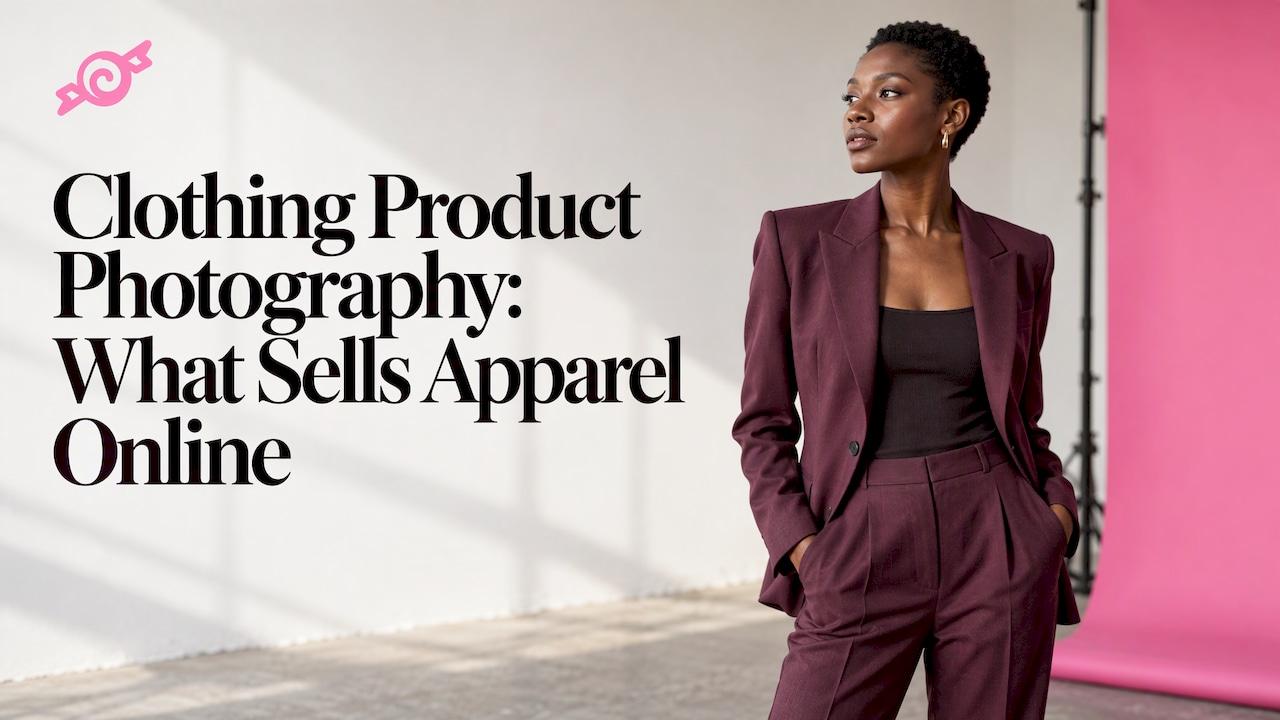
Clothing product photography has one job: let a shopper judge fit, fabric and color well enough to buy without touching the garment. The brands that do this at scale tend to stop thinking about it as a series of shoots and start treating it as a production system, with one approved look applied to every SKU. That is how we approach it at BlurCandy: our studio produces apparel images with generative AI, so there are no physical models, sets or reshoots, and the look is approved before production starts.
This guide covers what apparel images must show, which styles suit which jobs, how to keep a catalog consistent, and what to check so every image matches the real garment.
TL;DR
- Shoppers need images that show fit, fabric texture, scale and detail, from several views, not one hero shot.
- Match the style to the job: flat lay or ghost mannequin for clear product-only images, on-model for fit and brand identity.
- Consistency across the whole catalog matters as much as the quality of any single image.
- Our studio replaces models, sets and reshoots with AI production, approves look frames with you first, and typically turns product photography around within 24 hours.
- Every frame is checked by hand against your product and brief, so the image stays true to the garment.
Table of Contents
- What apparel images have to do
- Choosing a style: flat lay, ghost mannequin or on-model
- Consistency is what makes a catalog look like a brand
- The garment details a good image must get right
- Lighting, background and camera: the look to aim for
- Editing and formats for product pages, ads and social
- How AI production fits clothing photography
- Work with BlurCandy on your apparel catalog
- Planning the budget and the schedule
- FAQ
- Sources
What apparel images have to do
A garment is a tactile product sold through a screen. The image replaces the fitting room, so it carries the whole burden of information. A 2026 review in Idealogy Journal that synthesizes 21 studies on apparel images identifies product prominence, clarity, realism and trustworthiness, visual simplicity and consistent presentation as the core components of an effective image.
The same review says fashion buyers need images that help them assess fit, fabric texture, body scale, multiple views, close-up details, styling coordination and size-inclusive model representation. That is a useful checklist for a brief. Before any production, ask whether your product page answers each of these:
- Fit: how does the garment sit on a body, and where does it fall?
- Fabric: can the shopper see weave, knit, sheen or drape?
- Scale: how long is the hem, how wide is the sleeve, relative to a person?
- Views: front, back, side and at least one detail shot per item.
- Styling: what does it look like paired with other pieces?
- Representation: do the models reflect the sizes you sell?
The guidance from ecommerce platforms is consistent with this: images are both product information and presentation, so they should show items clearly and help shoppers see how they look when worn.
Choosing a style: flat lay, ghost mannequin or on-model
There is no single correct style. Each answers a different question, and most catalogs combine at least two.
| Style | What it shows best | Typical use |
|---|---|---|
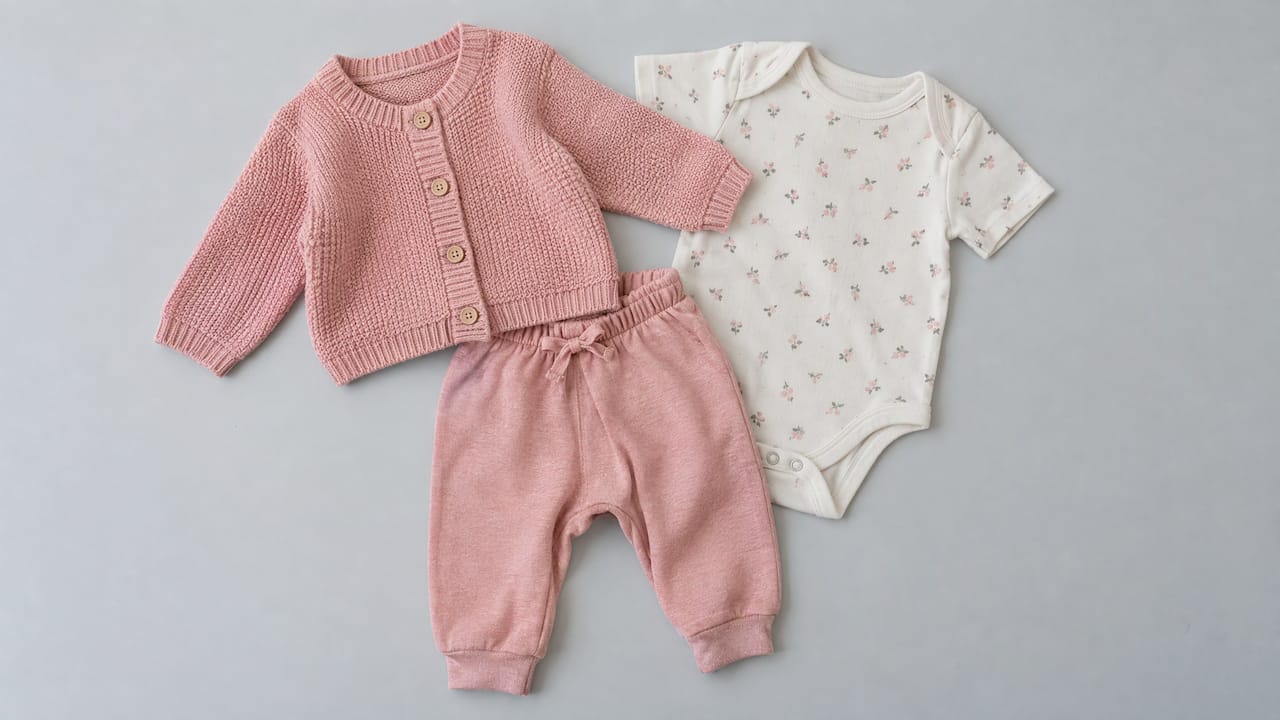
| Flat lay | Clean product shape, color, print, quick to produce | New arrivals, smaller catalogs, accessories, kids' and baby clothing |
| Ghost mannequin | Filled-out shape with no visible person | Structured pieces such as jackets and dresses |
| On-model | Fit on a real body, drape, scale | Hero images, brand identity, ads |
| Lifestyle | Mood, context and styling | Campaigns, social media, homepage banners |
The descriptions above follow a clothing photography guide that sets out these styles: flat lays need minimal equipment, ghost mannequins photograph the garment on a form and remove the form afterward, and on-model and lifestyle images show fit and build brand identity but take more coordination.
Why on-model images carry more information
There is academic support for putting garments on bodies. A 2014 peer-reviewed study by Jungmin Yoo and Sharron Lennon compared flat presentation with garments shown on models among 429 female college students. Participants perceived more information and reported more pleasure and arousal for model-presented garments than for flat-presented ones. The study found no significant difference between model images with and without faces, so you can choose the framing that suits your brand. Its authors note that the sample was a convenience sample, mostly women under 24, which limits how far the results generalize.
The practical conclusion for a brand: use flat or ghost-mannequin images for clarity, and on-model images wherever fit and appeal drive the purchase. This is where traditional production gets expensive and slow. Hiring models, booking a studio, styling and reshooting for every new drop adds up, and it is the part our studio removes. Our AI model photoshoots produce on-model images without physical models or sets. You can see how this applies to apparel on our fashion photoshoots and catalog shoots page.
Consistency is what makes a catalog look like a brand
One strong image does not make a store. Shoppers browse a collection page of thirty thumbnails, and what they register first is whether the set looks coherent: the same background tone, the same crop, the same light direction, the same horizon of the garment in the frame. The academic framework mentioned earlier lists presentation consistency among its core components for exactly this reason.
Traditional shoots struggle with consistency over time. A spring drop shot in March and a restock shot in September rarely match, because the studio, the model and the light have all changed. With AI production, the look is defined once and applied across the catalog. Our positioning is built on this: the look is approved before we build, and visual consistency holds across campaigns.
In practice, settle these before production:
- Background: white or light gray is the standard for product-only images and keeps attention on the garment.
- Crop and margin: a fixed ratio and the same space around the garment on every image.
- Shot list per category: which views each tops, bottoms, outerwear and dress needs.
- Model direction: pose style, size range and mood for on-model images.
- Color reference: the exact shade of each colorway, so the image matches what ships.
With us, clients approve look frames before production, so these decisions are visible and signed off before the full set is made.
The garment details a good image must get right
In a conventional studio, preparation is half the work. Guidance for apparel shoots tells teams to inspect garments for wrinkles, lint, pilling and loose stitches, then steam or iron them and lint-roll them before anything is photographed. The same guide recommends building a shot list, arranging the set before the lights and taking test shots. Adobe's fashion photography guide adds the value of a moodboard and shot list with reference adjectives and color relationships so the whole shoot stays aligned with the intended direction.
For a brand commissioning images, the lesson is about the brief. Whatever the production method, the result is only as good as what you specify. A strong apparel brief includes:
- Reference photos of the real garment from the front, back and close-up, so seams, trims, labels and prints are clear.
- Fabric and finish notes: matte, brushed, ribbed, sheer, glossy.
- Exact color names or codes for every colorway.
- Sizing and fit intent: relaxed, tailored, cropped.
- Styling intent: what it is paired with and what is left out.
The same Adobe guide quotes photographers who stress that styling makes images feel intentional and that poor styling can undermine a shoot even when lighting is strong. Styling decisions belong in the look approval stage, not after the fact.
Lighting, background and camera: the look to aim for
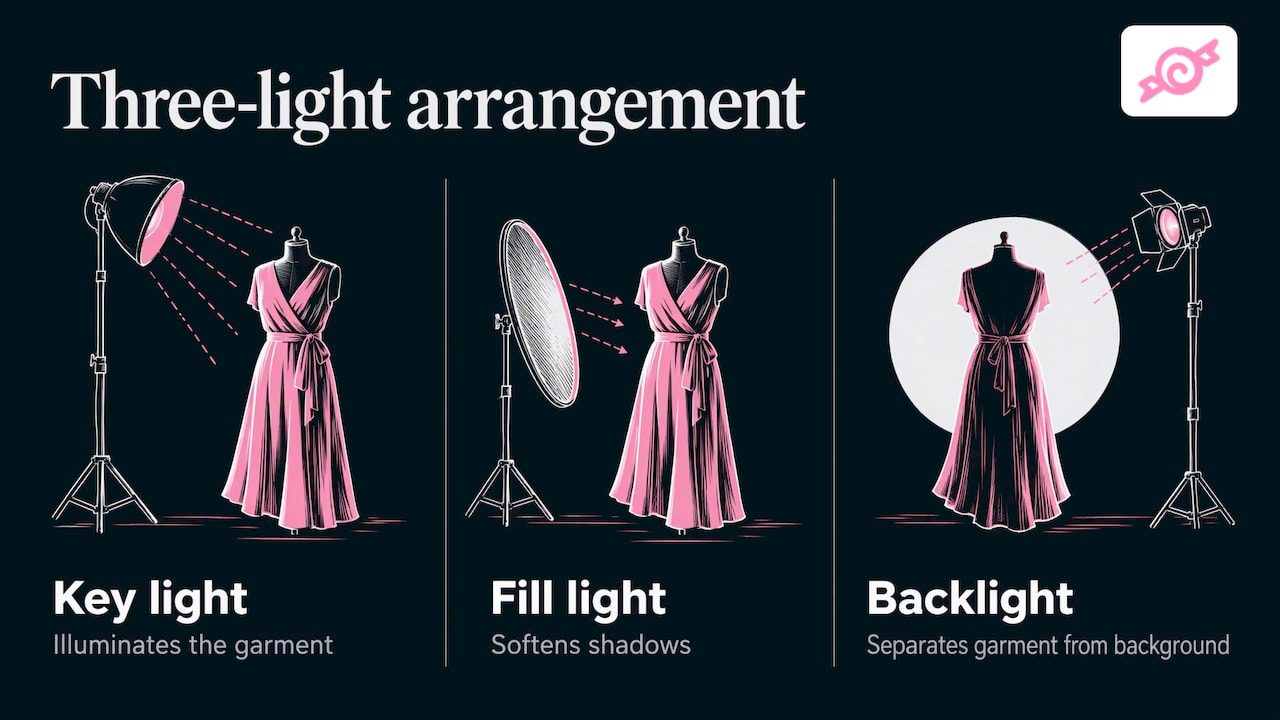
Whether you shoot in a studio or commission AI production, the target look comes from the same visual principles. Standard studio guidance recommends key, fill and backlighting with a white or light-gray backdrop and a tripod for steady, consistent images: the key light illuminates the garment, the fill light softens shadows and the backlight separates the garment from the background. A 50 mm prime lens is a common choice for people wearing clothing, because it avoids the distortion of wider lenses.
Sharpness matters too. Adobe's guide notes that fashion images need enough depth of field to keep clothing edges sharp, with starting settings of aperture f/7.1 or f/8, shutter speed around 1/160 and ISO 160 to 200 for basic studio work.
You do not need to own any of that equipment to get this look. When you brief an AI studio, you describe the result in these terms: soft, even light with gentle shadows under the garment, a clean light background, crisp edges, true color. We build the look to that description and show you look frames to approve first.
Editing and formats for product pages, ads and social
The same set of images has to work in several places. Standard post-production for apparel covers selecting the best images, removing distracting backgrounds, correcting color and exposure, applying consistent filters, cropping and resizing for web and social media. The guidance also recommends multiple angles, detail shots and a mix of photography styles so shoppers get a fuller picture of each item.
Translate that into a deliverables list for each garment:
- A main image on a clean background for the product page and collection grid.
- Two to four additional views: back, side, detail of fabric or construction.
- One or more on-model images for fit and styling.
- Crops for social: square and vertical versions of the strongest image.
- An ad-ready version for paid campaigns, with space for copy where needed.
Marketplace requirements
Marketplaces set their own rules. Amazon's Fashion Clothing Image Style Guide, dated April 2020, distinguishes flat-lay imagery from model poses and directs sellers to use lay-down imagery for certain categories, including kids' and baby clothing and accessories such as scarves, belts, hats and ties. Requirements get updated, so check the marketplace's current guide before you finalize a shot list. If Amazon is a major channel, our guide to Amazon product photography rules and workflow walks through the shot list in detail.
How AI production fits clothing photography
For a brand with a large or fast-moving catalog, the traditional model has three recurring costs: the shoot day, the people and place needed for it, and the reshoot when something changes. AI production removes the physical logistics. There are no models to book, no sets to build and no garments to ship to a studio and back for every new image.
What matters then is accuracy, because an image that looks beautiful but misrepresents the garment produces returns and complaints. This is why the process has checkpoints built in. Our studio customizes generative AI models for each industry and checks every frame by hand, so the quality and accuracy to your product and brief are verified before delivery. The look frames you approve at the start set the standard each later frame is held to.
When reviewing any apparel image, whoever produced it, run it through this list:
- Silhouette: does the cut, length and proportion match the real garment?
- Color: does the shade match your reference for that colorway?
- Fabric: does the texture and drape look like the actual material?
- Construction details: collars, buttons, zips, seams, stitching and pockets in the right places?
- Prints and logos: placed and scaled as on the real product?
- Body and model: natural proportions, and a size range that reflects your customers?
These are the questions that the Idealogy Journal framework points to under realism and trustworthiness, and they are the ones we review by hand on every frame.
Work with BlurCandy on your apparel catalog
Our studio produces AI model photoshoots, product photography, ad films and commercials, CGI and 3D product films, AI UGC ads and monthly social media content. For apparel, that means catalog images, on-model shots and campaign visuals created without physical models, sets or reshoots. Product photography is typically turned around within 24 hours, and more than 200 brands have worked with us, with a client rating of 4.8/5.

Pricing is project-based and quoted on scope and deliverables, whether that is a single photoshoot, an ad film or a content package. To see the range of work, browse our portfolio of AI ad films and commercials, read the fashion photoshoot and catalog page, or see all our services and request a proposal for your collection.
Planning the budget and the schedule
A clear scope keeps a project predictable. Count the number of SKUs, the views you need per SKU, how many of those need on-model treatment and which formats you need for ads and social. Those four numbers define the deliverables for a quote. Our guide to what brands pay for product photography explains how scope drives cost, and our overview of commercial product photography covers briefing in more detail.
For scheduling, work backward from the launch date. Because we typically turn product photography around within 24 hours, the production step stops being the bottleneck. The time you invest goes into the brief and the look approval, which is where it pays off most.
FAQ
What is the best style for clothing product photography?
Use a combination. Flat lays and ghost-mannequin images give a clear, consistent product-only view, and on-model images show fit and build brand identity. Research on apparel presentation found that garments shown on models conveyed more information than flat presentation, so on-model images deserve a place on every product page where fit matters.
How many photos does each clothing item need?
Plan a main image on a clean background, a back or side view, at least one close-up of fabric or construction, and one on-model image. Fashion buyers look for multiple views, close-up details and styling cues, so a set of four to six images per item covers what most shoppers need to decide.
Can AI create clothing product photos without a physical shoot?
Yes. Our studio produces apparel images with generative AI, replacing physical models, sets and reshoots. You approve look frames before production, and every frame is checked by hand against your product and brief. Product photography is typically delivered within 24 hours.
What background should clothing photos use?
White or light gray is the standard for product-only images because it keeps attention on the garment and keeps a catalog uniform. Marketplaces may have their own background and pose requirements, so check the current style guide for each channel you sell on.
How do I keep apparel images consistent across a collection?
Fix the background, crop, light direction and shot list per category before production, and apply them to every SKU. Approving look frames up front makes those choices visible early, so the entire collection follows the same standard.
Sources
- A Communication-Based Framework of Product Image, Idealogy Journal (2026)
- Clothing Photography: How To Photograph Clothes (2025)
- Clothing photography: A complete guide to shooting apparel
- Fashion photography tips and ideas for beginners, Adobe
- Fashion Clothing Image Style Guide, Amazon (April 2020)
- The Effects of Apparel Product Presentation on Consumer Responses, Yoo and Lennon (2014)